首先就是在Telegram搜索@BotFather,创建机器人也是在这里
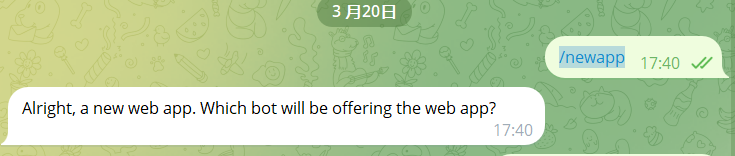
1.输入指令 /newapp会得到下图所示
Alright, a new web app. Which bot will be offering the web app?
这里是提示使用哪个机器人来绑定应用程序
2.发送你的机器人用户名,如图:@newxin123bot
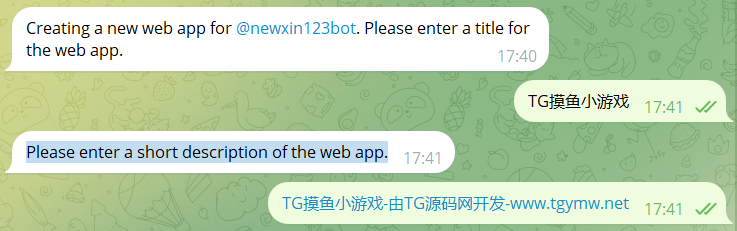
Creating a new web app for @newxin123bot. Please enter a title for the web app.
为@newxin123bot 创建新的 Web 应用程序。请输入 Web 应用程序的标题。接下来就是发送小程序的名字

3.发送你这个小游戏名字,如:TG摸鱼小游戏
Please enter a short description of the web app.
这一行简单来说就是请简单描述一下这个应用程序,看我图片的填法就行

4.上传一张640px*360px的图片,这里强调一下,图片尺寸必须是640*360px大小

5.现在上传演示 GIF 或发送/empty 以跳过此步骤。
TG中的提示是:Now upload a demo GIF or send /empty to skip this step. 一般我们选择发送/empty 跳过此步骤

6.跳过发送演示的步骤以后提示如下
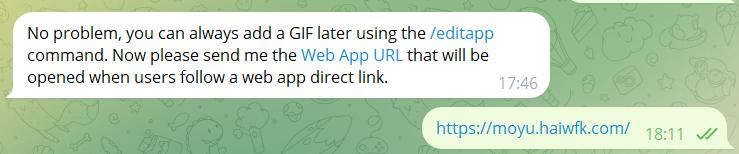
No problem, you can always add a GIF later using the /editapp command. Now please send me the Web App URL (https://core.telegram.org/bots/webapps) that will be opened when users follow a web app direct link.
翻译过来就是:
没问题,您可以随时使用 /editapp 命令添加 GIF。现在请将用户点击 Web 应用直接链接时打开的Web 应用 URL发送给我。
这里直接就发送你的小程序链接给他,如图
接下来会提示
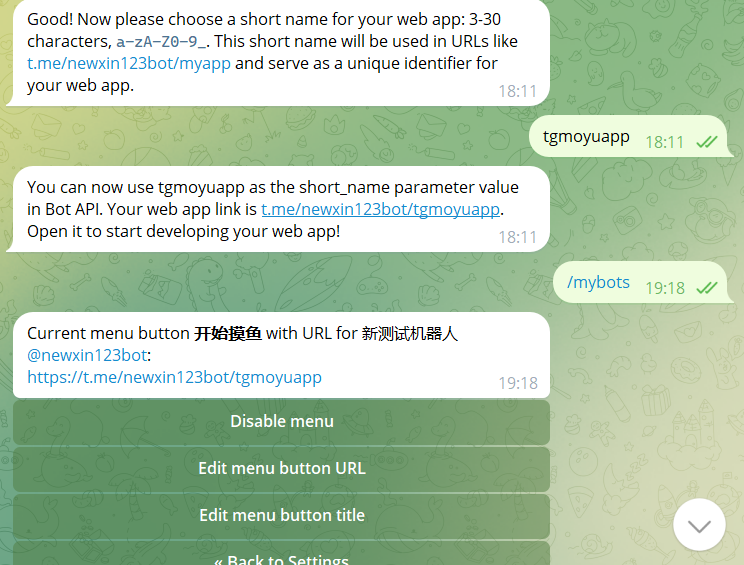
Good! Now please choose a short name for your web app: 3-30 characters, a-zA-Z0-9_. This short name will be used in URLs like t.me/newxin123bot/myapp and serve as a unique identifier for your web app.
翻译过来就是:好!现在请为您的 Web 应用选择一个简称:3-30 个字符, a-zA-Z0-9_ 。此简称将用于 t.me/newxin123bot/myapp 等 URL,并作为您的 Web 应用的唯一标识符。这里的格式就是,小写字母大写字母和数字看图,至此,小程序应用也就创建完毕了。